
ENDPOINT SOFTWARE SECURITY
Know which components on
your endpoints create risk.
PexLens discovers the packages and dependencies inside the projects on your endpoints, assesses each one against CVE data and PexLens intelligence, and ranks endpoints by risk — so investigation starts with the machine that actually needs it.
Component visibility
Endpoint risk ranking
severity-weighted, not a count
Evidence per finding
version, project, reason
THE PROBLEM
Asset inventory stops at the application.
Traditional asset inventory tells you which applications exist on a machine. It has no view of the open-source components and dependency trees inside the projects on that machine — which is where vulnerable and malicious packages actually sit.
NO INVENTORY
Dependencies are invisible
Applications are tracked. The packages and transitive dependencies inside projects are not counted anywhere.
NO EVIDENCE
Every endpoint looks the same
Without a severity-weighted score per endpoint, investigation starts wherever someone happened to look first.
UNSEEN
Audits become fire drills
When a CVE lands, answering "which endpoints and which projects are affected" takes days of manual work.
HOW IT WORKS
From a million components to a ranked short list
Discovery is exhaustive on purpose. What reaches a human is prioritized.
Stage 01 · DISCOVER
Every component, every project
The agent walks the projects on each enrolled endpoint and records every package it finds — name, version, direct or transitive, project, endpoint and registry.
0
components discovered across enrolled endpoints
Stage 02 · ASSESS
Scored, with a reason
Each component is checked against CVE data and PexLens intelligence, then given a severity, a score and a stated reason for the finding.
0
flagged — 5.9% of everything found
Stage 03 · PRIORITIZE
Ranked by endpoint risk
Component findings roll up per endpoint and are weighted by severity, so the fleet arrives ranked — highest-risk machine first, with the components that put it there.
0
critical findings — the investigation queue
FLEET VIEW
The whole estate on one screen
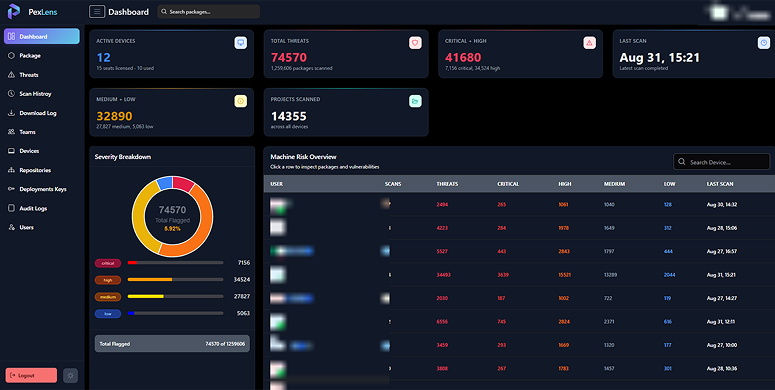
Endpoints enrolled, components discovered, findings by severity and the endpoint risk table — ordered so the machine that needs attention is the first row you read.
Components discovered
Severity per endpoint
Last scan per endpoint
COMPONENT DETAIL
The evidence behind the score
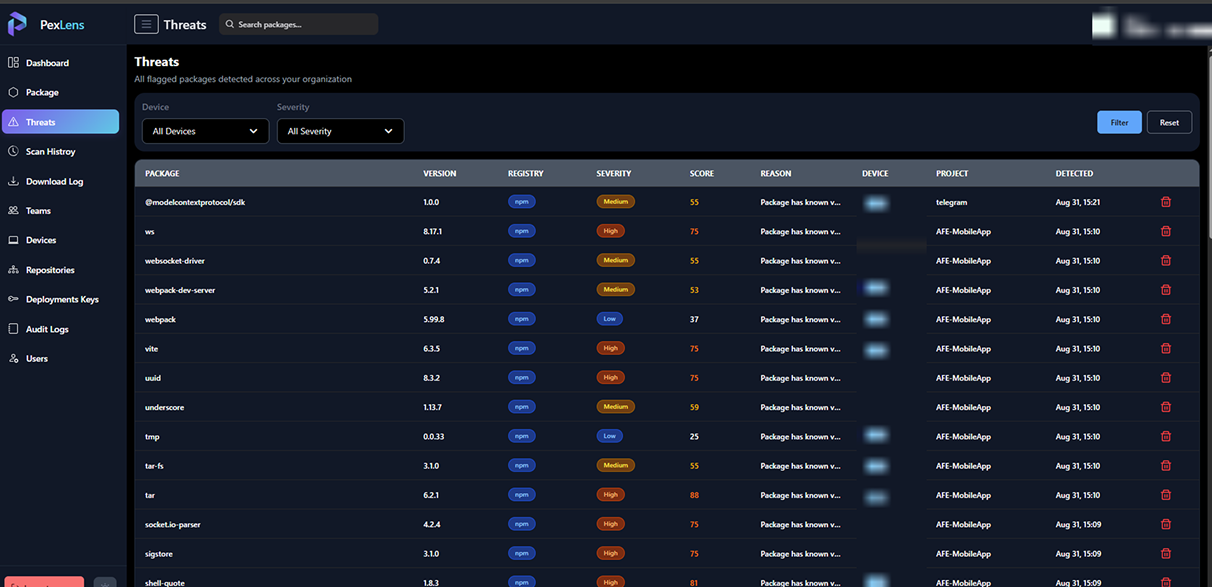
Every flagged component across enrolled endpoints, filterable by device and severity — package, version, registry, project, endpoint, severity and the reason it was flagged. This is the evidence layer under the endpoint risk ranking.
Filter by endpoint or severity
Sort by score
Export the list for investigation
AUDIT TRAIL
Every download, from every endpoint
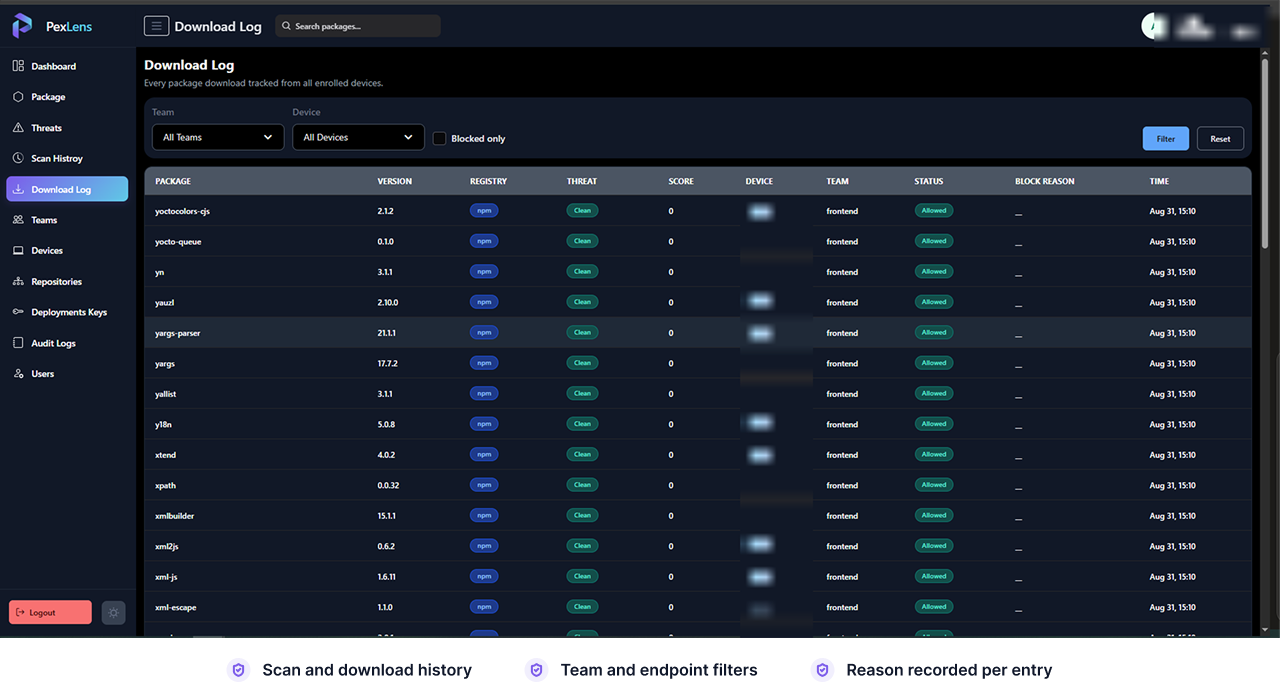
What was pulled, by which endpoint, on whose team, and what the recorded outcome was — the evidence trail behind the inventory, ready to hand to an auditor without assembling it first.
Enrollment
Component visibility on day one
Deployment keys, your existing endpoint tooling, no per-machine setup.
01
Issue a deployment key
One key per team or per rollout wave, revocable.
Enrollment can be staged and traced back to who authorised it.
02
Push the agent
Distributed through the endpoint management tooling you already run.
Machines appear in the console as they check in.
03
First scan completes
The component inventory and the endpoint risk ranking populate on the first scan, then stay current as projects change.
START WITH AN INVENTORY
Find out which components on your endpoints create risk.
Enroll a handful of endpoints and we will walk you through the first scan together — the components discovered, the endpoints ranked by risk, and what we would investigate first.